 Blender教程内容
- 3D立体模型制作:详细介绍了如何从基础开始构建3D立体模型。
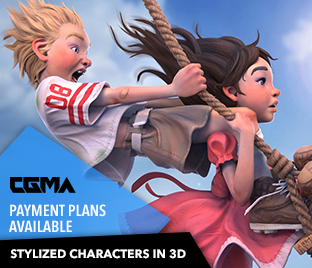
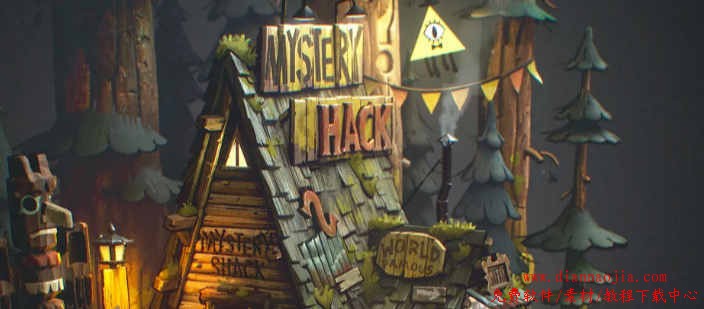
- 卡通风格:教程中的模型和渲染采用了卡通风格,适合喜欢该风格或《Gravity Falls》的粉丝。
- 多软件应用:涉及到Blender、Gravity Sketch、Substance Painter、Photoshop和After Effects等多个软件的使用。
教程信息- 所需软件:Blender、Gravity Sketch、Substance Painter、Photoshop、After Effects
- 教程时长:1小时15分钟
- 素材:不包含工程文件
- 字幕:英文无字幕
- 格式:MP4,1920×1080
应用场景- 3D建模学习:适合想要学习3D建模的初学者或中级用户。
- 卡通风格创作:适合喜欢卡通风格的艺术家和设计师。
- 视觉效果提升:适合需要提升视觉效果技能的专业人士。
学习指南- 准备好所需的软件环境,包括Blender、Gravity Sketch、Substance Painter、Photoshop和After Effects。
- 观看视频教程,跟随步骤学习如何构建3D立体模型。
- 动手实践,尝试自己创建类似的3D场景。
- 利用Photoshop和After Effects进行贴图和渲染的后期处理。
这套Blender卡通场景建模贴图渲染合成教程为想要学习3D建模和卡通风格创作的用户提供了详细的指导。通过这个教程,用户可以学习到从建模到渲染的全过程,提升自己的3D创作技能。 This is an 8 part video series demonstrating the creation of this 3D diorama from scratch. This was originally fan art made for the 10 year anniversary of the series, Gravity Falls. After many requests about how this was created, I decided to make a tutorial covering the step by step process.
|